Portal
What is a Portal?
Think of a Portal as your main platform environment - like the "master building" that houses all your organization's coaching services and settings. It's the top-level container that connects everything together.
Why Does It Matter?
The Portal is important because it:
- Provides a unified environment - All your organizations and services work together seamlessly
- Ensures consistent experience - Users get the same high-quality experience across all areas
- Enables easy management - Administrators can oversee multiple organizations from one place
- Maintains security - All data and access controls are properly organized
Real-World Examples
Example 1: Default Organization (L&D Support) Onboarding Multiple Organizations
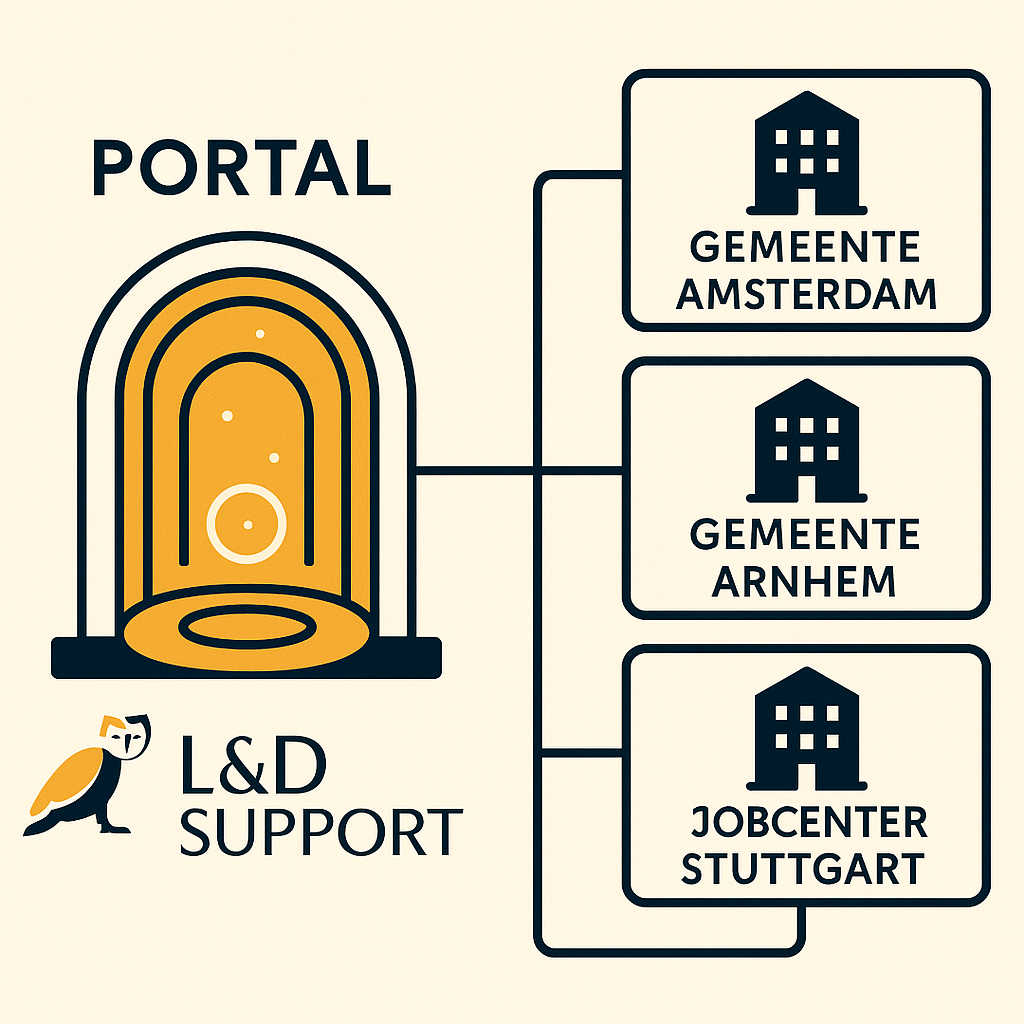
Imagine your platform starts with the default organization L&D Support. Here, you can onboard various organizations, such as:
- Gementee Amsterdam
- Gementee Arnhem
- Jobcenter Stuttgart
Each of these organizations operates within the same portal environment, benefiting from unified branding, shared platform features, and centralized management. The portal acts as the main hub, while each organization maintains its own space and users.
Example 2: Organization with Multiple Sub-Organizations (Shared Portal Branding)
In some cases, an organization can have multiple sub-organizations underneath it, all sharing the same portal and branding. For example:
- Portal: "EduCoaching Platform"
- Main Organization: "EduCo Group"
- Sub-Organization: "EduCo Netherlands"
- Sub-Organization: "EduCo Germany"
- Sub-Organization: "EduCo France"
- Main Organization: "EduCo Group"
Here, the portal's branding, settings, and AI assistant are shared across all sub-organizations. This ensures a consistent experience and centralized control, while still allowing each sub-organization to manage its own users and services.
Key Information Stored
Every Portal contains:
| Information | What It Means | Example |
|---|---|---|
| Portal Name | The main title for your platform | "InnovatieGroep Coaching Hub" |
| Portal Logo | Your main platform branding image | Company logo displayed at the top |
| Portal Bot | The AI assistant configuration | "InnovieCoach" - your branded AI helper |
| Creation Date | When the portal was first set up | Shows platform history |
What You Can Do
With Portal settings, you can:
- ✅ Set the main platform name that users see
- ✅ Upload your company logo for consistent branding
- ✅ Configure the AI assistant that helps users
- ✅ Manage multiple organizations under one roof
- ✅ Track platform usage across all departments
Common Questions
Who manages the Portal?
Usually your IT administrator or platform owner - the person responsible for your overall coaching platform setup.
Can we have multiple Portals?
Most organizations use one Portal with multiple Organizations inside it. Multiple Portals are typically used when you need completely separate environments.
Does changing Portal settings affect users?
Yes - Portal settings like the name and logo appear throughout the platform, so changes will be visible to all users.
Next: Learn about Organizations - how your specific company or department is set up within the Portal.